



Post by ady on May 17, 2005 10:40:18 GMT -5
Name: Rippling Water
Author: Ady (me)
Program: Photoshop
Version: 7.0
Difficulty: Extremely easy
Resources
For this, nothing is needed!
Step 1
Ok, first off, open new canvas. You can choose whatever size you want (I'll use 400x150).

Step 2
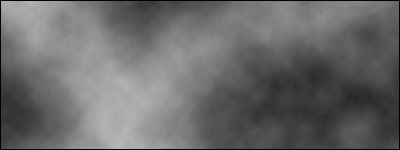
Open a new layer, and fill it with:
Filter > Clouds
Remember to have your pallette colours black and white.
Step 3
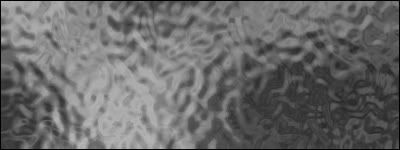
Go to:
Filter > Distort > Glass
Choose these settings:
Distortion: 20
Smoothness: 6
Texture: Frosted
Scaling: 69%
Don't tick Invert
Step 4
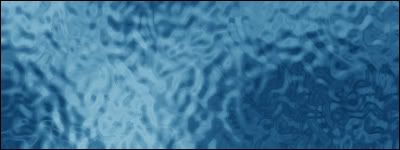
Go to:
Image > Adjustments > Colour Balance
Choose a nice colour, I chose a watery one.
Step 5
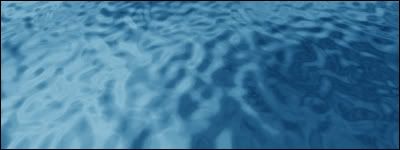
Next, go to:
Edit > Transform > Perspective
Drag one of the bottom corners away from your picture and it should tilt. Once you've found a good position, press enter! You have now got a nice rippling water effect!
Edited By forum Administrator(APR 21st 2007):
It is quite evident that this forum is no longer used and has stayed that way for a good amount of time.
You may have also noticed that this tutorial gets a ridiculous amount of views each day, I would like to use that fact to draw a mass amount of the viewers attention to a certain website. A website of an online MMORPG(massive multiplayer online RPG). This MMO is what I believe to be the most unique and fun to play MMO on the internet today. It is free to play although you can pay to get a few ingame items to support the game staff and servers.
sco.gpotato.com/index.php
The game goes by the name SCO, short for Space cowboy online. I am aware of how ridiculous the name is, regardless, it does not define the game well at all.
To give you a better understanding of the game, I prefer a video presentation over a written presentation, so please, give some of your attention to this youtube video www.youtube.com/watch?v=RwD_tBBv4a8
There are others like this on yourtube and other video resources, I hope I have successfully persuaded you to give this game a try, and if I have not, then thank you for atleast checking out the few resources I have listed here.
Author: Ady (me)
Program: Photoshop
Version: 7.0
Difficulty: Extremely easy
Resources
For this, nothing is needed!
Step 1
Ok, first off, open new canvas. You can choose whatever size you want (I'll use 400x150).
Step 2
Open a new layer, and fill it with:
Filter > Clouds
Remember to have your pallette colours black and white.
Step 3
Go to:
Filter > Distort > Glass
Choose these settings:
Distortion: 20
Smoothness: 6
Texture: Frosted
Scaling: 69%
Don't tick Invert
Step 4
Go to:
Image > Adjustments > Colour Balance
Choose a nice colour, I chose a watery one.
Step 5
Next, go to:
Edit > Transform > Perspective
Drag one of the bottom corners away from your picture and it should tilt. Once you've found a good position, press enter! You have now got a nice rippling water effect!
Edited By forum Administrator(APR 21st 2007):
It is quite evident that this forum is no longer used and has stayed that way for a good amount of time.
You may have also noticed that this tutorial gets a ridiculous amount of views each day, I would like to use that fact to draw a mass amount of the viewers attention to a certain website. A website of an online MMORPG(massive multiplayer online RPG). This MMO is what I believe to be the most unique and fun to play MMO on the internet today. It is free to play although you can pay to get a few ingame items to support the game staff and servers.
sco.gpotato.com/index.php
The game goes by the name SCO, short for Space cowboy online. I am aware of how ridiculous the name is, regardless, it does not define the game well at all.
To give you a better understanding of the game, I prefer a video presentation over a written presentation, so please, give some of your attention to this youtube video www.youtube.com/watch?v=RwD_tBBv4a8
There are others like this on yourtube and other video resources, I hope I have successfully persuaded you to give this game a try, and if I have not, then thank you for atleast checking out the few resources I have listed here.




 ), or that you're on the background layer. Create a new layer and try again.